

Components Web AppDevelopers build the blocks.
Editors build the website.
The low-code website builder for custom web apps. Editors build pages right on the live site from components your developers made, and everything stays on brand. A new component starts at a few lines of code.
Terminal
pnpm create cwa my-projectThat feeling when
all the hard work is done for you
Build on the live page
Editors add, arrange and edit components on the real site, not in a form somewhere else. Developers decide what can go where, so every page looks right.
Everything is included
Sign-in, users, forms, image uploads, SEO, sitemaps, share images, drafts, real-time updates and a deploy pipeline come ready on day one. That's why it's low-code: most of it is already written.
Fast by default
Almost every visit is served straight from cache, and publishing clears only the pages that changed. Sites stay fast on small servers, and edits appear the moment they're published.
Yours to own
Free, open source and MIT licensed. Host it on your own servers, keep your own data, and never pay per seat or get locked in.
The missing link in
website builders
Traditional website builders take control and crucial decisions away from the professionals while increasing complexity for users.
- Build the website you wantNo hacking another builder to fit. Developers build the components your site needs, custom to your users.
- On brand, every timeStyles are set up in advance to match your branding, so editors choose from your design instead of inventing a new one.
- New pages fit right inThe right balance of freedom and guardrails means every new page looks like it belongs.
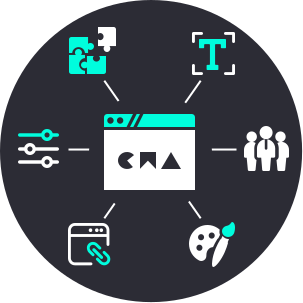
A real editorial workflow,
included
The tools content teams usually pay extra for come with every site.
- Draft, refine, publishEvery change is a private draft until it's ready to go live.
- Schedule itChoose when new content goes live, and it publishes itself.
- Edit once, update everywherePut one component on as many pages as you like, and change it in one place.
- Work together, liveEditors see each other's changes as they happen, and visitors are told the moment a page they're reading has changed.

Supercharge your
business
The CWA reduces your team's workload and increases productivity.
- For AgenciesOne predictable structure across every client site, so each new project starts further ahead and your clients are impressed.
- For DevelopersLow-code components on frameworks you already enjoy, with advanced features in a few lines and you staying in control.
- For Web AdminsUpdating the website or creating new pages is as easy as clicking on the page and typing.

Built on the
shoulders of giants
The CWA is built on the shoulders of giants, on the latest version of each, for maximum flexibility and extensibility.
- The latest of everythingSymfony 8, API Platform 5 and Nuxt 4, served by FrankenPHP. Years of support ahead, current security fixes, and no legacy code to fight.
- Symfony bundle with API PlatformAn incredibly powerful and well maintained framework. Extend API Platform and Symfony functionality for services such as SAML authentication protocols or API proxies.
- Front-end Nuxt moduleNuxt and Vue are among the most enjoyable front-end frameworks to use. Our CWA Nuxt module provides easy to use composables along with a full management system.
How CWA compares
Five ways CWA differs from the tools teams usually weigh it against. The full table says why for every mark.
| Feature | CWA | WordPress | Storyblok | Sanity | Payload | Webflow |
|---|---|---|---|---|---|---|
| Editors work on the live page of your own front end | Yes: On the live site, in edit mode | Partly: In the block editor, styled like your theme; not for a separate front end | Partly: Your site in a preview frame inside Storyblok; click a block to edit it | Partly: Preview frame in Studio; overlays on your site open Studio to edit | Partly: Preview frame in the admin; a visual editor is coming for Enterprise | Partly: On the live page, but only for sites built in Webflow |
| Publishing clears only the pages that changed, out to the CDN | Yes: Built in, by cache tag; Cloudflare's edge needs an API token | No: Left to caching plugins or your host | No: Its API cache updates; your site's cache is webhooks you write | Partly: Automatic on the Next.js App Router; elsewhere webhooks you write | No: Its website template calls Next.js revalidation; the rest is yours | Yes: Managed, on Webflow's own hosting |
| Drafts and scheduled publishing on the free version | Yes: Drafts per component; scheduling for components and pages | Yes: Drafts and scheduled posts in core | Paid plan: Drafts free; scheduling on paid plans | Paid plan: Drafts free; scheduled drafts on paid plans | Yes: Drafts and scheduling; scheduling needs a jobs runner | Paid plan: Scheduling on the CMS plans |
| Open source and self-hosted | Yes: MIT, on your own servers | Yes: GPLv2 or later | No: Hosted service | Partly: The Studio is MIT; your content is hosted by Sanity | Yes: MIT | No: Hosted service |
| Sign-in, forms, image variants, SEO and deployment included | Yes: All of them, with a deploy pipeline for Docker or Kubernetes | Partly: Users and image sizes in core; forms, SEO and caching are plugins | Partly: An image service; no visitor sign-in, forms or hosting | Partly: An image pipeline; no visitor sign-in or forms | Partly: Sign-in, image sizes, and form and SEO plugins; deployment is yours | Partly: Hosting, forms and SEO; member sign-in ended in January 2026 |
- Yes
- Partly
- No
- Paid plan
How CWA Compares, with all 8 products
Accurate as of October 2026.
Simply build individual UI components;
we do the rest
With our API built on top of API Platform and Symfony, it is incredibly simple to setup a component.
We provide helpful traits and attributes to quickly add advanced functionality such as draft/live components or handling file uploads.
api/src/Entity/Title.php
<?php

namespace App\Entity;

use ApiPlatform\Metadata\ApiResource;
use Doctrine\ORM\Mapping as ORM;
use Silverback\ApiComponentsBundle\Annotation as Silverback;
use Silverback\ApiComponentsBundle\Entity\Core\AbstractComponent;
use Silverback\ApiComponentsBundle\Entity\Utility\PublishableTrait;
use Symfony\Component\Validator\Constraints as Assert;

#[Silverback\Publishable]
#[ApiResource(mercure: true)]
#[ORM\Entity]
class Title extends AbstractComponent
{
  use PublishableTrait;

  #[Assert\NotBlank(groups: ['Title:published'])]
  #[ORM\Column(type: 'text', nullable: true)]
  public ?string $title = null;
}
With help from our amazing community


